
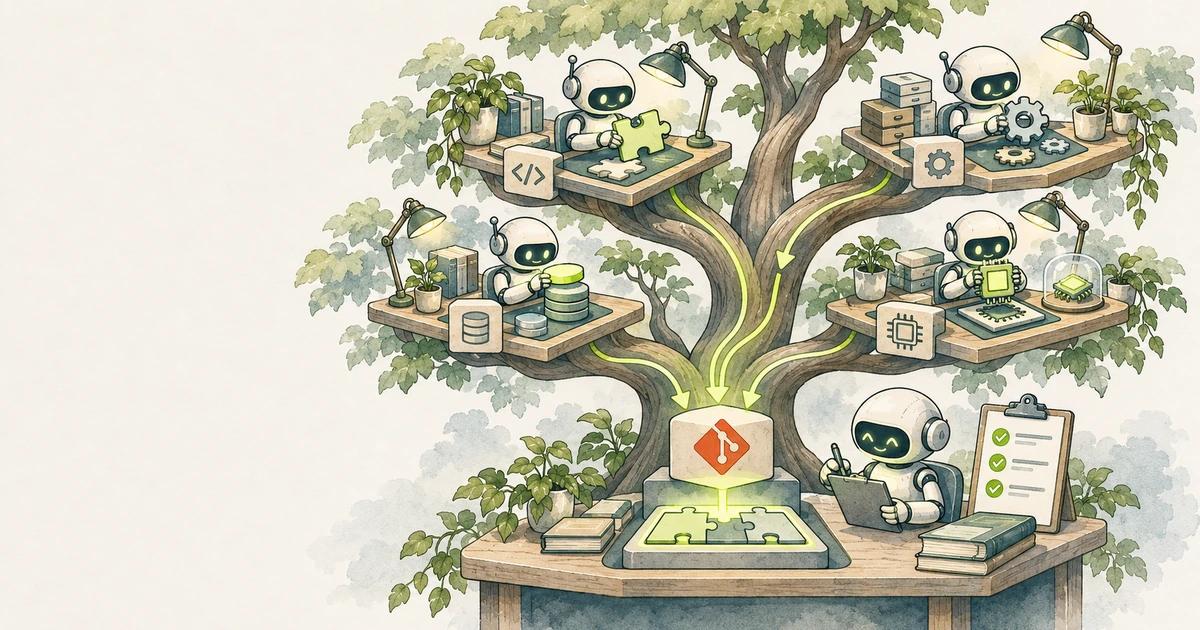
AI coding agents are fast, but a single agent working on one task leaves you waiting. Many developers now run several agents at once: one fixing a bug, one writing tests, one exploring a refactor. Run them all in the same folder, though, and they overwrite each other's files, run tests against half-finished changes and fight over the same branch.
Git worktrees solve the isolation problem with a feature Git has had since 2015. This guide shows how to use them for parallel agents, and how to keep the result reviewable.
What a worktree is
A normal clone has one working directory attached to one branch. A worktree is an extra working directory linked to the same repository. Each worktree has its own checked-out branch and its own files, but all of them share one .git object store, so there is no second clone to download or keep in sync.
git worktree add ../shop-fix-cart -b fix/cart-total
git worktree list
Now ../shop-fix-cart is a full checkout on the new branch fix/cart-total. Changes there do not touch your main folder.
One task, one worktree, one agent
The rule that makes parallel work manageable is simple: each agent gets its own worktree and its own branch, and each branch maps to one reviewable change.
git worktree add ../shop-cart  -b fix/cart-total
git worktree add ../shop-tests -b test/checkout-coverage
git worktree add ../shop-i18n  -b feat/currency-format
Open a terminal in each folder and start an agent there. Many agent tools also create worktrees for you. Claude Code, for example, has built-in worktree support, so you can ask it to start a session in an isolated worktree rather than creating one by hand.
Handle ignored files and dependencies
A new worktree contains only tracked files. Things like .env, node_modules and build caches are missing, so the agent's first test run fails. Options:
- Run the install step in each worktree. With pnpm, the content-addressable store makes this quick and avoids duplicating packages on disk.
- Copy local config that is not committed. Some tools read a
.worktreeincludefile in the repository root that lists ignored files to copy into new worktrees. - Avoid shared ports. Two dev servers on port 3000 will collide. Give each worktree a different
PORTvalue, or have agents run tests rather than servers. - Separate databases. If tests write to a local database, give each worktree its own database name or container.
Write task briefs that keep agents in their lane
Parallel agents go wrong when tasks overlap. Before starting, write a short brief for each one:
- Goal: one sentence describing the change.
- Scope: the files or modules it may edit, and those it must not touch.
- Done when: the tests or checks that must pass.
- Out of scope: related improvements to note, not make.
If two tasks need to edit the same file, run them one after the other instead. Merge conflicts between agents cost more time than parallelism saves.
Review like you would review a colleague
The bottleneck moves from writing code to reviewing it. Keep reviews possible:
- Small branches. One task per branch keeps each diff readable.
- Run checks per worktree before you look at the code: type check, tests, lint.
- Read the diff, not the summary. Agent summaries can be confident and wrong.
- Merge one at a time, rebasing the next branch after each merge so conflicts appear early and small.
Clean up
Finished worktrees pile up quickly. Remove them once the branch is merged:
git worktree remove ../shop-cart
git branch -d fix/cart-total
git worktree prune
git worktree prune cleans up records for worktree folders you deleted manually.
Watch the cost
Every agent consumes tokens or credits, and parallel agents multiply that. Some habits that keep spending sensible:
- Start with two or three agents, not ten. Your review capacity is the real limit.
- Give agents precise briefs; vague tasks cause long, expensive exploration.
- Stop agents that are stuck in a loop instead of letting them retry indefinitely.
When not to parallelise
- Tightly coupled changes, such as a schema change and every query that depends on it.
- Work where you do not yet know the design; explore with one agent first.
- Anything touching security-sensitive code, which deserves your full attention.
Key takeaways
- Git worktrees give each agent its own folder and branch while sharing one repository.
- Use one task, one worktree and one branch per agent.
- Set up ignored files, dependencies, ports and databases per worktree.
- Write scoped task briefs, and avoid running agents on overlapping files.
- Review and merge one branch at a time, then remove the worktree.
Sources: git-worktree documentation, Claude Code documentation, Better Stack: Git worktrees with Claude.
 Build a Web App with Claude Code: CLAUDE.md, .claude/, Skills, Hooks and Testing12 min read
 Build a Web App with OpenAI Codex: AGENTS.md, config.toml, Sandbox and Testing8 min read
 Build a Web App with GitHub Copilot: Instructions, Agents, Cloud Agent and Testing8 min read